

Steps to delete an image
1
Sign in to your account
2
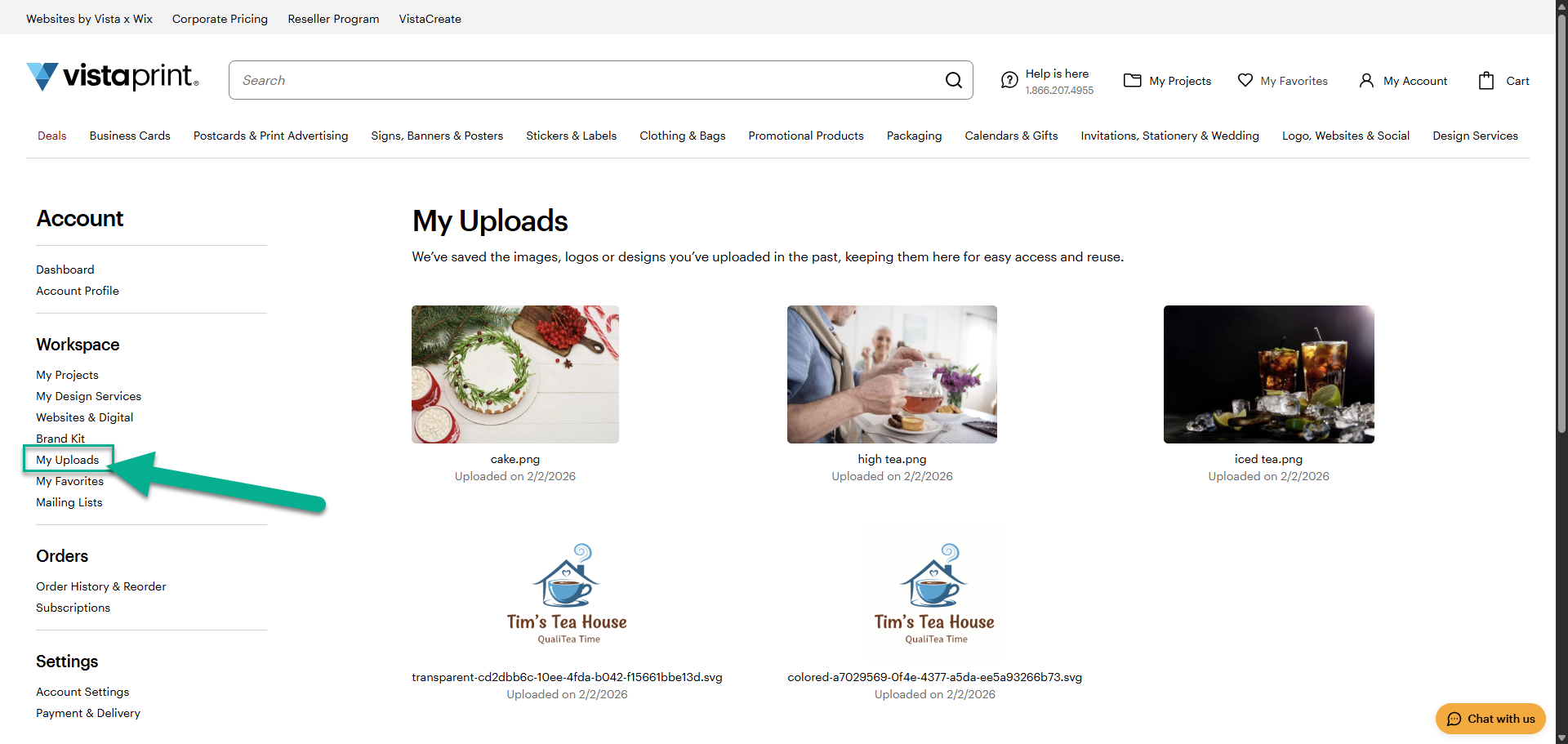
Open My Uploads
Select My Account, then choose My Uploads to access your uploaded images and documents.
3
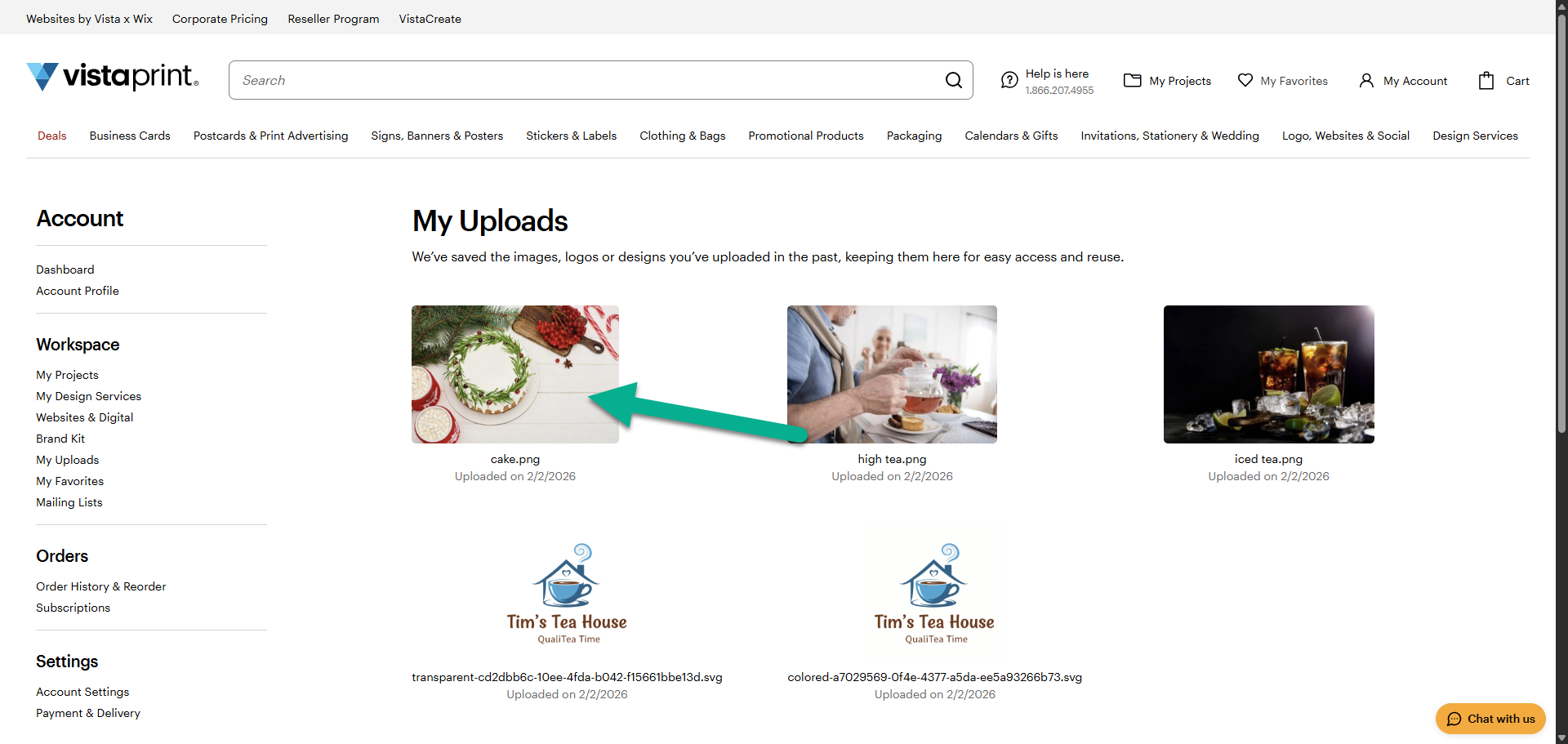
Select the image
Choose the image you want to delete from your uploads.
4
Delete the image
Deleting an image removes it from all products that use it. You won't be able to reorder those products, but you can edit the design and add a different image.
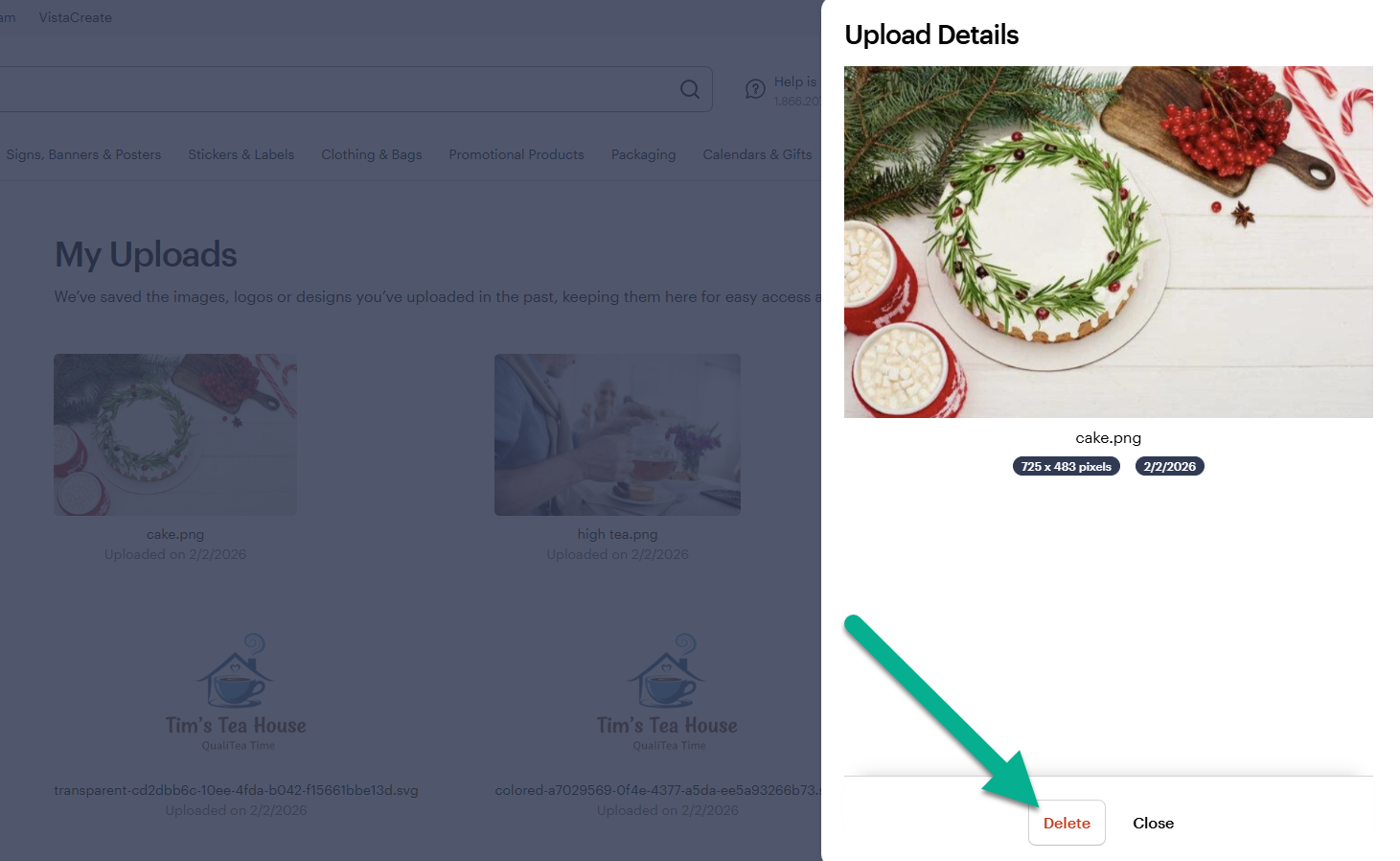
Deleting an upload is permanent and can't be undone. To use the image, you’ll need to upload it again.

